



An equipment maintenance log records every service, inspection, and repair performed on a piece of equipment — what was done, when, by whom, and what's due next. The template below covers the fields that actually matter. Further down, the honest part: why a spreadsheet log is a fine starting point and also has a shelf life.
What to include in an equipment maintenance log
A usable log needs these fields — no more, no less:
| Field | Why it matters |
|---|---|
| Asset name / ID | Ties every entry to a specific machine, not "the press" |
| Date | When the work happened |
| Maintenance type | Preventive, corrective (breakdown), or inspection |
| Description of work | What was actually done — specific enough to be useful in 6 months |
| Technician | Who did the work — accountability and a point of contact for questions |
| Parts used | What was replaced, for spares tracking and failure-pattern spotting |
| Downtime (if any) | How long the equipment was unavailable — feeds MTBF/MTTR over time |
| Next due date | When the next scheduled service is due |
For the difference between the maintenance types in that table, see our guide to types of maintenance — the distinction between preventive and corrective work matters for how you'll eventually analyze this data.
If an asset is serviced under a vendor contract rather than in-house, log the coverage on the asset record too — see our guide to AMC in maintenance for what a contract should specify and how to track its expiry.
Copy-and-use log template
Copy this structure into a spreadsheet to start today:
Asset ID | Asset Name | Date | Type | Description | Technician | Parts Used | Downtime (hrs) | Next Due
---------|-----------|------|------|-------------|-----------|-----------|-----------------|----------
PRS-004  | Stamping Press 4 | 2026-07-10 | Preventive | Lubrication + belt tension check | J. Alvarez | — | 0 | 2026-08-10
PRS-004  | Stamping Press 4 | 2026-07-18 | Corrective | Bearing replacement, seized on startup | J. Alvarez | Bearing 6205-2RS | 3.5 | —
One row per event, one asset per set of rows. Keep a separate tab per asset if you're tracking more than a handful of machines — a single flat sheet gets unreadable past about 20 assets.
What a good log entry looks like vs. a bad one
Bad: "Fixed press." No date precision beyond the row, no asset ID, no parts, no downtime.
Good: "PRS-004, 2026-07-18, corrective, bearing 6205-2RS replaced after seizure on startup, 3.5 hrs downtime, J. Alvarez." Six months from now, if PRS-004 seizes again, this entry tells you exactly what part failed and when — the difference between noticing a pattern and starting from zero every time.
Where a spreadsheet log starts to break down
A spreadsheet log is a legitimate way to start — it's better than nothing, and for a handful of assets it can work for a while. It starts breaking down in predictable ways:
- Nobody enforces the mandatory fields. A spreadsheet doesn't stop someone from leaving downtime or root cause blank. Six months later, half the rows are missing the data you actually need for a Pareto or an MTBF trend.
- It doesn't connect to a schedule. A log records what happened; it doesn't remind anyone what's due next. The "next due date" column is only useful if something is actually watching it.
- Multiple people editing the same file, badly. Version conflicts, overwritten rows, "final_v3_updated.xlsx" — familiar territory for any plant running maintenance this way.
- No audit trail. If an ISO or IATF auditor asks when an entry was actually recorded versus backfilled from memory a week later, a spreadsheet has no way to answer that.
None of this means don't start with a spreadsheet — start with one today if you don't have a log at all. It means know that the same fields in this template, as mandatory fields on a work order instead of optional spreadsheet columns, is the next step once the spreadsheet starts fighting you back. If you're not sure what a CMMS actually replaces beyond a spreadsheet, our complete guide to CMMS software covers that in more depth.
This isn't hypothetical — we've seen a spreadsheet log fail exactly this way at a client whose IT infrastructure wasn't reliable enough to keep a shared Excel file in sync with what operators were actually doing on the floor. What was meant to save time became something people fought with instead of used.
How MachDatum handles this
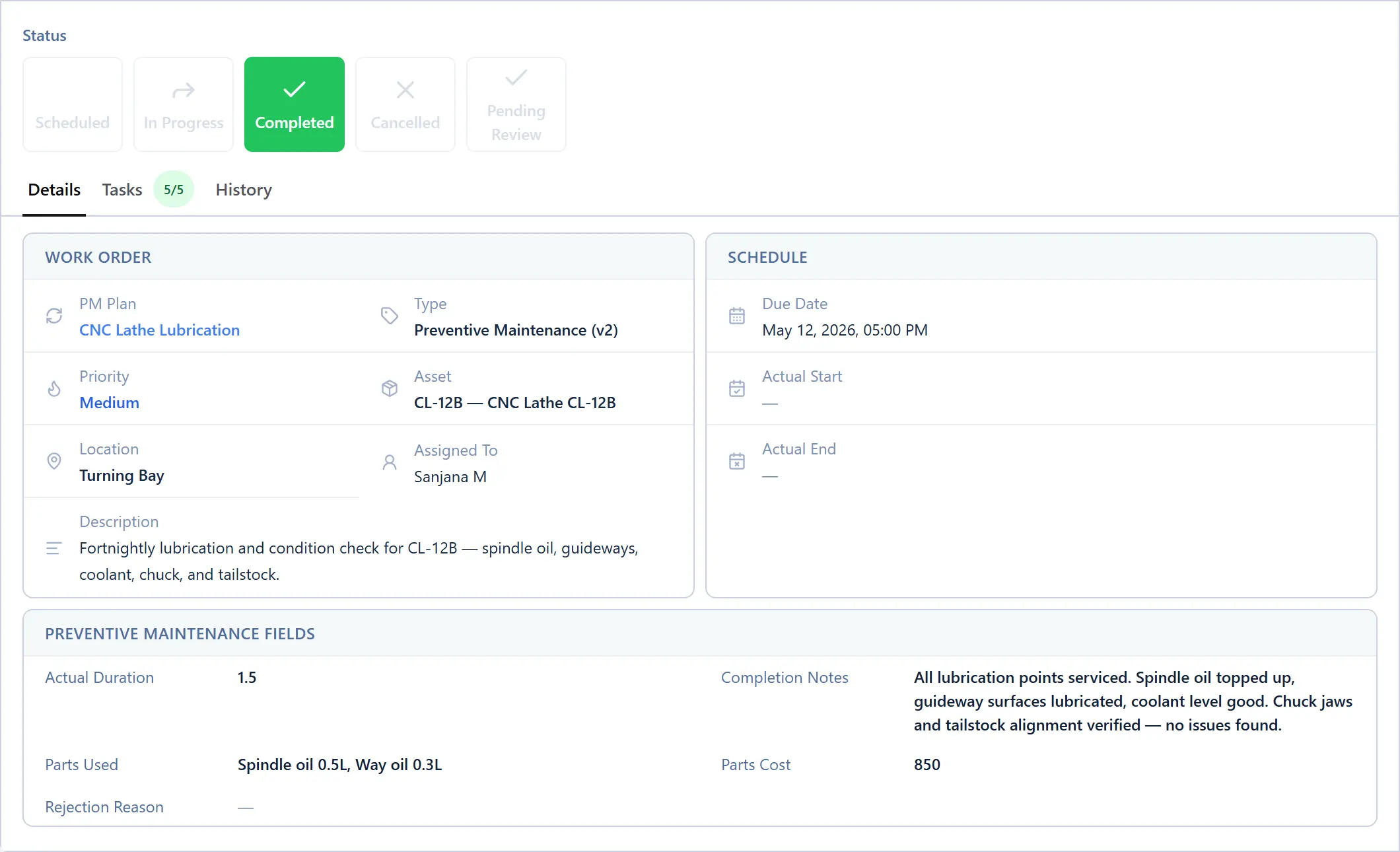
The fields in the template above map directly to a MachDatum work order: asset, maintenance type (via configurable work order types), description, technician (assignee), parts used (reference tables), downtime hours, and next-due date (from PM auto-dispatch — see our preventive maintenance checklist guide for how that scheduling works). The difference from a spreadsheet: downtime and root cause are required fields before a repair work order can close — not optional columns someone might skip.
Where MachDatum fits: every field in this log template is already a work order field in MachDatum — asset, type, description, technician, parts, downtime, next-due-date — with the ones that matter for tracking made mandatory instead of optional. PM auto-dispatch handles the "next due" reminder instead of relying on someone remembering to check a spreadsheet. We're onboarding our first group of manufacturing teams right now — see how it works.