

Work order management
AI-powered work orders, from request to resolution
Create, assign, track and close every job in one connected workflow. Configure it by work order type, let AI draft work orders for you to review, and log every transition automatically.
Work Orders
 Electrical panel power lossWO-029Breakdown Repair - v2EP-01 — Electrical Panel EP-01—ReportedCritical
 Replace pump bearingWO-028Breakdown Repair - v2CB-03 — Conveyor Belt CB-03Ryan ColeUnder DiagnosisHighElectrical Panel Thermography — EP-01WO-027Preventive Maintenance - v2EP-01 — Electrical Panel EP-01Alex ChanIn ProgressHigh
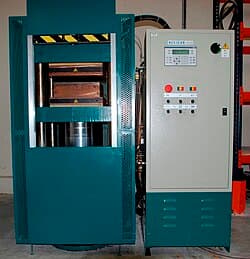 Monthly inspectionWO-026Preventive Maintenance - v2HP-07 — Hydraulic Press HP-07Maria LopezScheduledLowReplace hydraulic sealWO-025Breakdown Repair - v2HP-04 — Hydraulic Press HP-04Daniel KimRepair in ProgressCriticalConveyor belt inspectionWO-024Preventive Maintenance - v2CB-03 — Conveyor Belt CB-03Ryan ColeScheduledLowHydraulic seal repairWO-023Breakdown Repair - v2HP-04 — Hydraulic Press HP-04Daniel KimRestoredLow
Work order creation
Skip the form. Just say what's wrong
No more working through field after field. One sentence in,
a ready-to-review work order out.
New Work Order
* required…and more, depending on the work order type.
- Type
- Breakdown Repair
- Title
- Seal Leak on HP-04
- Description
- Leak observed at the seal
- Priority
- High
- Asset
- HP-04 — Hydraulic Press
Workflow, on the job
Every job follows the right path — with every step accounted for
Once the work starts, the workflow takes over. Each work order follows the path defined for its type, with only valid actions available at each stage.
- ✓Configured status transitions
- ✓Mandatory data capture
- ✓Multi-level approvals when needed
- ✓Automatic notifications
- ✓Full history on every job
Electrical Panel Thermography — EP-01WO-027OverdueConfigurable workflows
One workflow per job type, enforced everywhere
Describe how the job runs on your floor, and AI drafts the work order type: its fields, statuses and transitions, ready for you to review.
Here's a draft for Electrical Maintenance Request.
✓ 6 workflow stages ✓ 7 data fields captured
Workflow: Submitted → Assigned → Repaired → Completed → Verified → Closed
Does this process match how work actually flows?
Teamwork and control
Every change under control, everyone in sync
Workflow changes never disrupt work in progress, updates stay on the work order, and due dates land on one shared calendar.
Versioned workflows
Change the workflow without disrupting work
V2
DraftNo notes yet.
Created 7 May 2026 · by Alex Chan
V1
PublishedAdds the parts-ordering state and failure classification.
Published 6 May 2026 · by Alex Chan
Draft and publish new versions. Work orders already in progress stay on the version they started with.
Threaded comments
Capture comments, photos, and more
Photos, files and updates stay on the work order, every one timestamped and attributed.
Calendar view
Every due date on one shared calendar
Month and week views, filters by asset, priority or assignee, and overdue jobs highlighted.
MachDatum Mobile
From a reported fault to a finished job — all from one phone
Technicians report faults, follow the work and close the job right at the machine. Every update is saved as it happens, so the job record stays current from start to finish.
- ✓Scan an asset's QR code to see its history or raise a work order
- ✓Capture photo evidence straight from the camera
- ✓Complete work orders right from the field
- ✓Get push alerts for new work orders and due dates
Analytics and reporting
See where every work order stands, at a glance
Status, type, priority and monthly trend on one dashboard, built from your work orders.
Dashboard
Status, type, priority and monthly trend of your work orders.
AI across the work order lifecycle
AI that works the work order, start to finish
Not one AI feature bolted on — creation, workflow, and insight are AI-assisted at every stage.
Say what’s wrong. Get a draft.
Describe the job, typed or spoken, and AI drafts the work order with the asset, type and priority filled in, for you to review.
Describe the job. Get the workflow.
Describe the work order type and how the job flows on your floor, and AI builds the states and transitions for you, ready to use.
Ask a question. Get the answer.
Ask what’s happening across your maintenance operation, and AI answers from your work order history, across your fleet or down to a single asset.
What changes on the floor
More than just work orders, real operational impact
Real impact where the work happens: faster response, nothing missed, and the data to prove it.
Faster response to breakdowns
A reported fault routes to the right person right away. Your team acts before it turns into extended downtime.
Nothing sits unassigned
Every work order carries an owner, priority, and due date. Overdue jobs surface on their own, no one has to chase them.
Get the job done the right way
Each job type has its own workflow, checklist, and instructions. Technicians follow one clear process, every time.
Parts stay accounted for, job to job
Adding a part reserves stock right away. Closing the job deducts it, logs the cost, and flags anything running low.
| Part | Planned | Reserved | Consumed |
|---|---|---|---|
| Hydraulic seal kit | 2 | 2 | 2 |
| Hydraulic oil, 5L | 1 | 1 | 0 |
MTTR and MTBF, auto-calculated
Work order timestamps roll straight into MTTR and MTBF on your dashboard, fleet-wide and per asset.
A report, one click away
Export any work order as a PDF on demand, with full details, history, and attachments included.
Frequently asked questions
Yes, without taking control away. Say what’s wrong, typed or spoken, and AI drafts the work order with the asset, type and priority filled in. Describe how a job runs on your floor, and it builds the workflow. Ask a question about your maintenance data, and it answers with a dashboard chart. Nothing is saved until you review it.
Describe your process. Watch it become a work order.
30 minutes, your own equipment, no obligation.
Comments
×WO-214 · Hydraulic Press Seal Replacement — HP-04
Rod seal on HP-04 is gone. Tagged LOTO and pulled it from the line.
Photo attached. Recommend replacing both rod seals and the piston seal while it's open.