



Asset management
Every machine, one record you can trust
Keep location, criticality, documents and history together for every asset, on the desktop and on the floor. Let AI draft new assets from a nameplate photo, and scan a QR code to open any of them.
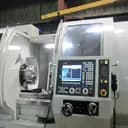

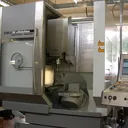
See it in action
Every asset, one record — see it live
Search your assets, open a record, and see its work orders and movements — right here.
Assets
Manage your physical assets, track their details and maintenance history.


I'm your Asset Creation Assistant
Upload a photo or two — a nameplate helps most — and I'll find the manufacturer, model, and specs, then help you create the asset.
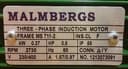 What is this machine?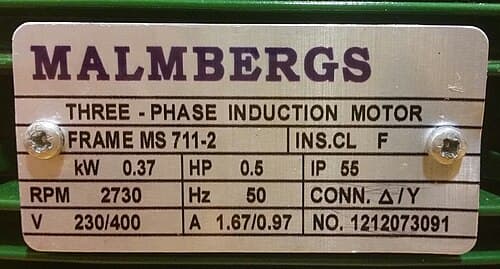
Asset movements
Move equipment on your own approval workflow
Record every transfer — from and to location, reason and date — and move it through the states you define. Each step is logged with who did it and when.
CNC Lathe CNC-04
Inter-bay transfer · Ref MV-2026-018
Status
Vehicle / handler: Forklift FL-02 · R. Menon
Asset verification
Check every asset is really there
Walk a set of assets against a checklist: pass, fail or flag each task, attach photos and notes, then download the report as a PDF.
Q3 audit — Machine Shop
VerifiedVerified Sep 18, 2026, 11:42 AM · by Priya Nair
Hydraulic Press HP-07 · 3/3 tasks completed
Completed by Priya Nair on Sep 18, 2026
Completed by Priya Nair on Sep 18, 2026
Photo required
PhotoCompleted by Priya Nair on Sep 18, 2026
Scan, then act
Scan a QR code, then act
Every asset carries a QR code. Scan it from the web app or the mobile app — no photo needed, and there's a manual fallback if a code won't scan.

MachDatum Mobile
Every asset, right in your pocket
The same asset register, on iOS and Android. Scan a QR code, open a record, or capture a new one with AI — without leaving the shop floor.
Every asset in your pocket
Search, filter by type, or scan a QR code to open any asset — the same register as the web app, on iOS and Android.
The full record, on the floor
Criticality, status, location and specs, with the asset’s work orders and movements. Create, assign and complete work orders from the field.
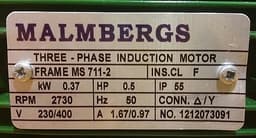
Register from a photo
Snap the nameplate and MachDatum AI reads it, finds the specs and drafts the asset. You review it before it’s saved.
The overview
See your asset health at a glance.
Stay ahead with a clear view of MTBF, MTTR, downtime and the assets that need attention, calculated from your own work orders and filtered by location, asset or period.
Dashboard
Real-time overview of assets, work orders, and preventive maintenance
Total Assets
9
All registered assets
Active
6
Currently in service
Inactive
1
Temporarily out of service
Decommissioned
0
Retired from service
MTTR
2.9hrs
Average time to repair
MTBF
38.5days
Average time between failures
Total Downtime
14.6hrs
Hours stopped due to failures
Assets by MTTR (hrs)
Assets with the highest average repair time.
Hover an asset to see its value.
Assets by MTBF (days)
Most reliable assets by time between failures.
Hover an asset to see its value.
Assets by Downtime (hrs)
Cumulative hours stopped due to failure, this period.
Hover an asset to see its value.
Asset Status
Breakdown of assets by recent work order activity.
Hover a slice to see its share.
Work Order Distribution per Asset
Work order volume trend across assets.
Hover a point to see that asset's work orders.
Configurations
Set it up once, for your whole plant
An admin defines the schema and the workflow. Everyone else just uses it.
Asset types
Define the schema
Group fields into sections, reorder by drag, and reuse a parent type's structure across related equipment.
Asset categories
Group your types
Top-level groupings for your asset types — deactivate one without deleting its history.
Movement types
Design the workflow
Reorder states, set who can act on each transition, and require fields before it's allowed.
Asset schema
Custom asset types
Define the exact fields each equipment class needs — 14 field types including dropdowns, references and file attachments.
Input patterns
Field formats
Enforce input patterns on fields
Set an input pattern per field, like PM-AA-9999 for asset codes, so every entry follows the same format.
Plant structure
Location & org hierarchy
Model your plant from site to room, and see every asset by location or by team.
Features
Built for how maintenance teams actually work
Asset hierarchy
Parent & child assets
Link an asset to its parent — a line, a machine, a sub-assembly — so related equipment stays connected.
Maps & location
Geolocation
Pin an asset on the map, or drop it at your current position, and open it in maps from the record.
Bulk data
Import & export
Import Assets from Excel
Import from Excel with a template per asset type, and export the filtered list back to Excel.
Asset lifecycle
Deactivate, reactivate or decommission
Pause an asset, bring it back, or decommission it — with date, reason and who did it on record.
Audit trail
History on the record
Work orders and movements sit on the asset's tabs, and every change is logged with who and when.
CMMS or asset tracking?
Which one do you actually need?
MachDatum is maintenance-first, with asset movement and verification built on top.
| Aspect | CMMS (MachDatum) | Asset tracking software |
|---|---|---|
| Best for | Preventing breakdowns and planning repairs | Finding equipment and running audits |
| Core record | Asset + maintenance history + work orders | Asset + location history |
| Typical trigger | A PM schedule or a fault | A physical audit or a transfer |
| MachDatum fit | Full support — this page | Covered by movements & verification |
- CMMS (MachDatum)
- Preventing breakdowns and planning repairs
- Asset tracking software
- Finding equipment and running audits
- CMMS (MachDatum)
- Asset + maintenance history + work orders
- Asset tracking software
- Asset + location history
- CMMS (MachDatum)
- A PM schedule or a fault
- Asset tracking software
- A physical audit or a transfer
- CMMS (MachDatum)
- Full support — this page
- Asset tracking software
- Covered by movements & verification
Why teams choose MachDatum
Flat per-site pricing — every technician, planner and manager gets access, not just named seats.
Any field you need, on any asset type — no generic form to work around.
One workflow engine powers work orders, asset movements and preventive maintenance.
Register equipment from a photo of its nameplate — AI drafts the record, you confirm it.
Frequently asked questions
It stores every physical asset’s identity, location, condition and history in one record, and uses that record to plan and track maintenance.
See your equipment in MachDatum CMMS
30 minutes, your own equipment, no obligation.