



Preventive Maintenance
Prevent failures before they impact production
Automate preventive maintenance with structured PM plans and recurring work orders that keep critical maintenance on schedule and your assets ready for production
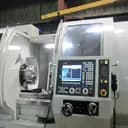
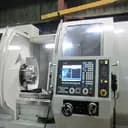
CNC Lathe Lubrication
CNC Lathe Lubrication
PM Calendar & List
Know what's due, what's next, and what's overdue
See every PM plan two ways — a full calendar for the month ahead, or a sortable list for digging into specifics — with overdue work always called out first.
Air Compressor Filter Check — AC-07
ScheduledHydraulic Press Monthly PM — HP-04
ScheduledCNC Lathe Lubrication — CL-12B
ScheduledHydraulic Press Monthly PM — HP-04
ScheduledQuarterly PM — Conveyor Belt CB-03
ScheduledAir Compressor Filter Check — AC-07
ScheduledCNC Lathe Lubrication — CL-12B
ScheduledCNC Lathe Lubrication — CL-12B
Air Compressor Filter Check — AC-07
Build a PM plan in five steps
Set it up once. Every detail flows seamlessly into the work order — from planning to completion.
Pick the asset & PM type
Choose the asset and PM type. Key details are added automatically.
Set the schedule
Set the frequency and preview upcoming due dates.
Attach the checklist
Reuse a checklist or create a new one for every work order.
Assign the team & details
Set the assignee, priority, title, and duration once.
Track the outcome
Monitor work orders, compliance, and asset performance.
Core capabilities
Everything you need to keep maintenance on schedule
From planning to recurring work orders, streamline every step of preventive maintenance and keep your assets ready for what's next
Structured PM Plans
Build smarter maintenance plans with AI-assisted scheduling
Just describe when the work should recur and AI turns it into a working schedule — or set the cadence yourself. Either way, MachDatum keeps it on track from there.
- ✓AI turns plain English into a schedule
- ✓Fixed intervals — daily, weekly, monthly, or yearly
- ✓Set when it's due, relative to the trigger
Add Preventive Maintenance Plan
Define the work, the asset, and how often it repeats.
Schedule 1
Describe it insteadPattern
Automated Work Orders
Automatically turn planned maintenance into work orders
When a plan comes due, MachDatum raises the work order itself — checklist, asset, and assignee already attached. Nothing sits in a queue waiting to be created.
- ✓Raised the moment a plan comes due — no manual step
- ✓Checklist, asset, and priority carried over automatically
- ✓Auto-assigned based on the plan's default owner
CNC Lathe Lubrication
CL-12B — CNC Lathe · Monthly
CNC Lathe Lubrication
WO-1042 · raised from this PM schedule
PM Types & Workflows
Build workflows around every type of maintenance
Give each PM type its own workflow, requirements, approvals, and reporting rules — while keeping active maintenance running smoothly as workflows evolve.
- ✓Its own states, transitions, and approval rules
- ✓Required fields and screens can differ by type or state
- ✓Choose whether it counts toward MTTR / MTBF
Status
Transitions
Create
Start Work
Approve & Close
Cancel
Add Preventive Maintenance Plan
Create a new preventive maintenance plan.
Preventive Maintenance Type *
CNC Lathe Lubrication — CL-12B
WO-052OverdueStatus
MachDatum Mobile
Every PM, right in your pocket
PM work orders on iOS and Android. See what’s due, move each job through its workflow, and close out the checklist — without leaving the shop floor.

See what’s due, anywhere
Every PM work order in the Work Orders tab — filter by type, priority or status, with the asset and due date on each card. Overdue ones show in red.
Move it through the workflow
Tap the next state on the work order and confirm it. The start time and technician are recorded as the job moves to In Progress.
Close out the checklist
Record Pass, Fail or Flag, enter readings, add photos and notes on the work order. Progress updates as each task is captured.
The overview
See your maintenance performance at a glance
Stay ahead with a clear view of PM compliance, planned vs. reactive work, and the assets that need attention — all in one powerful overview.
Preventive Maintenance
Compliance, upcoming schedules, and asset-wise PM activity.
Keep it moving
Keep every plan on track, from scheduling to completion.
Stay informed, prevent delays, access clear reports, and keep every part accounted for — all in one place.
Notifications on every step.
The right channel for the moment — a quiet email when a plan dispatches, WhatsApp when it lands on someone's plate.
Overdue jobs escalate automatically.
Set time thresholds per work order type. When a job isn't progressed in time, the right person gets pulled in without anyone having to chase.
PDF summaries, on demand.
Configure templates once and export clear, professional PDF summaries in one click.
Parts tracked against every job.
Log parts against work orders. Know what you're running low on before a breakdown forces the issue.
One maintenance plan.
Three perspectives
Managers, planners, and technicians all work off the same PM plan — each one opens straight to the view built for what they actually need to do.
Maintenance Manager
Know where maintenance stands
Track PM compliance, overdue work, and asset-level performance from a clear overview.
Maintenance Planner
Keep every plan on track
Create PM plans, manage schedules, and adjust upcoming maintenance with ease.
Technician
Know what’s next. Get it done
See assigned PM work orders, upcoming tasks, and checklists in one focused workspace.
Frequently asked questions
The spreadsheet gets replaced by a plan per asset that carries its own schedule, checklist, and due date — no more remembering to check a tab or re-type the same job every month. Work orders raise themselves when a plan comes due instead of someone creating them by hand.
Stop missing PMs. See the plan run in MachDatum CMMS
In 30 minutes we set up a PM plan for one of your own assets, from schedule and checklist to the work order your technician closes out. No obligation.