



Work order management is the system a maintenance team uses to log, assign, track, and close every maintenance job — from a breakdown call to a scheduled PM. A work order is the unit of record: who raised it, what asset, what was found, what was done, how long it took.
Without that record, the job may still get done. The press gets fixed, the belt gets replaced, the leak gets sealed. But nothing is captured: not the cause, not the downtime, not the hours spent. The next time that machine fails in the same way, no one knows it has happened before. Work order management turns individual jobs into institutional memory.
What is a work order in maintenance?
A work order is a formal instruction to carry out a maintenance task. It contains, at minimum: the asset, the nature of the job, who it is assigned to, and when it is due. A good work order also captures what was found when the technician arrived, what was done to fix it, what parts were used, and how long the machine was down.
The word "formal" matters. A WhatsApp message is a request. A verbal report to the shift supervisor is a request. A work order is a record — something that lives in a system, persists after the job is done, and contributes to the asset's maintenance history.
In manufacturing, the gap between request and record is where most maintenance data is lost.
Still tracking work orders on WhatsApp or a paper register?
See the CMMSTypes of work orders
Every plant runs four types of work orders, whether it names them or not — they map directly onto the four types of maintenance: preventive, corrective, predictive, and breakdown.
Breakdown work orders are raised when equipment fails. The press has stopped. The conveyor belt has snapped. The job is urgent, assigned immediately, and the clock on downtime starts the moment the order is raised. See our full guide to breakdown maintenance for how to handle this type at scale.
Preventive maintenance work orders are created on a schedule — monthly, quarterly, annually — before anything fails. They arrive with a pre-assigned technician and a checklist: check oil, inspect seals, measure vibration, test guards. The job is not to fix something broken but to confirm it is not about to break. For equipment serviced by an outside vendor, this schedule is usually defined by an AMC rather than an internal PM plan. See our preventive maintenance checklist guide for a worked example.
Corrective work orders are the middle ground: non-urgent repairs identified during an inspection or a PM. The technician doing the monthly lubrication round notices a worn seal. It is not failing yet. A corrective work order is raised: fix it this week, not right now, not at the next annual service. Corrective work orders turn observations into scheduled action instead of mental notes that get forgotten.
Condition-based work orders are triggered by a measured condition crossing a threshold — vibration level, oil temperature, motor current draw. A sensor reading hits a limit; a work order fires. No human has to decide whether the machine needs attention. The data decides.
| Type | Trigger | Urgency | Checklist needed? |
|---|---|---|---|
| Breakdown | Equipment failure | Immediate | No — job varies |
| Preventive maintenance | Fixed schedule | Planned | Yes — standard checklist |
| Corrective | Observation during inspection | Low–medium | Often — standard repair steps |
| Condition-based | Sensor threshold crossed | Depends on parameter | Sometimes |
The work order lifecycle
A work order moves through stages. The exact stages vary by plant and by job type, but the core flow looks like this:
Raised — the request is logged. The asset is identified. The nature of the problem is described. A priority is set. This is the moment the job enters the system.
Assigned — a technician is allocated. A due date is set. The job is now someone's responsibility, not a general problem.
In progress — work has started. This is where root cause should be captured: what was found when the technician arrived, before any work was done. Spare parts used are logged here. Downtime hours begin accumulating.
Awaiting parts / awaiting access — hold states that pause the clock legitimately. The replacement bearing has not arrived. The machine cannot be released from production until the shift ends. These states matter because they distinguish genuine blockages from jobs that are simply sitting unworked.
Completed — work is done. Downtime hours are confirmed. The technician signs off.
Closed / reviewed — a maintenance manager reviews the work: root cause is verified, labor hours are confirmed, any follow-up corrective or PM is created if the job revealed a new pattern. The work order is formally closed.
Breakdown jobs and PM jobs do not move through the same flow. An emergency breakdown goes from raised to assigned in minutes, then straight to in progress. A monthly PM may be raised automatically by the system seven days in advance, sit in a queue until its scheduled date, then move through assigned → in progress → completed in a single shift. The value of configurable work order workflows is that each type can follow its own logic, with its own mandatory fields and its own approval gates, without collapsing everything into one generic form.
A full lifecycle example: press motor failure
| Stage | What happens | Time |
|---|---|---|
| Raised | Operator logs "Press 4 motor not starting" | 08:14 |
| Assigned | Maintenance manager assigns to technician; sets priority: high | 08:17 |
| In progress | Technician starts job; logs root cause: capacitor failure | 08:45 |
| Awaiting parts | Replacement capacitor not in store; stores team alerted | 09:10 |
| In progress | Capacitor arrives; work resumes | 11:30 |
| Completed | Motor running; technician logs 3h 16min downtime | 11:55 |
| Closed | Manager reviews; creates corrective WO to inspect all press capacitors this month | 12:10 |
Total downtime logged: 3 hours 16 minutes. Root cause on record. Follow-up action created. The system now knows this press failed, why, and what was done — and that information feeds into MTTR and MTBF calculations automatically.
What work order management looks like without a system
Most small and mid-sized manufacturing plants manage maintenance without formal work order software. This is not a criticism — it reflects what was practical to set up before lightweight CMMS options existed for this market. But the consequences are consistent enough to be worth naming honestly.
The WhatsApp thread. "Press 4 is down." Someone in the maintenance group responds. The technician fixes it during the shift. Shift change happens. The day-shift supervisor did not see the thread. The problem gets reported again. Two technicians show up at the same machine. Or nobody shows up because everyone assumed someone else handled it.
The failure is rarely the message itself — it's the visibility gap after it's sent. A production supervisor WhatsApps the maintenance group about a stalled line. Someone on the maintenance side sees it, or seems to. The supervisor assumes it's handled and moves on. But nobody actually confirms a technician is on site, and nobody knows if the message was ever picked up at all. The machine sits down longer than it should, not because no one was told, but because being told is not the same as being assigned — and a WhatsApp thread has no way to show the difference.
Paper job cards. The information exists, but it is locked in a folder nobody opens. To calculate MTBF for a machine, someone has to count physical cards by hand — so it never gets done, and purchasing decisions get made without failure-frequency data.
Verbal handoffs. The night-shift technician who fixed the press at 2am told the day-shift supervisor before leaving. The supervisor meant to tell the maintenance planner. He forgot. The root cause — a worn capacitor that had been reported three months earlier but never actioned — is not recorded anywhere. Eleven months later, the press fails again in the same way. The team treats it as a new breakdown.
This is how maintenance history gets reset with every shift change. Each failure is new. Nothing accumulates. Planning is gut feel because the data does not exist.
What makes work order management fail — even with a system
Installing work order software does not automatically produce good work order management. The failure modes are predictable.
No mandatory fields. Root cause is optional, so technicians skip it when they are busy — which is always. After six months, the system has hundreds of closed work orders and zero root-cause data. Analytics are meaningless.
Multiple channels running in parallel. The CMMS is live, but maintenance requests still arrive by WhatsApp, by email, and verbally. Half the jobs never enter the system. The work order backlog is fictional — it only shows the jobs someone remembered to log. The system never becomes the record of truth.
No closure discipline. Work orders are completed but never formally closed and reviewed. The backlog grows to 200 open jobs, most of which were done weeks ago. The number loses all meaning. Planners stop trusting it.
Follow-through gaps. The technician's root-cause note says "replace pump seal every 12 months." Nobody creates the PM that fires automatically next year. The same seal fails in the same pump twelve months later. The insight existed in the system; it just had no mechanism to act on it.
What a CMMS adds to work order management
A CMMS (computerised maintenance management system) is built around the work order as its primary record. Here is what changes mechanically — not in principle, but in practice.
Every job is in one place, assigned to one person, with a due date. The WhatsApp thread and the verbal handoff do not exist as parallel channels. The job is raised in the system, assigned in the system, and closed in the system. Anyone with access can see every open job and its current status without calling anyone.
Configurable workflows per job type. A breakdown repair follows a different state machine than a PM job. Transitions between states have role gates — a technician can move a job to "completed" but only a maintenance manager can move it to "closed." Mandatory fields are enforced at each transition, not as suggestions.
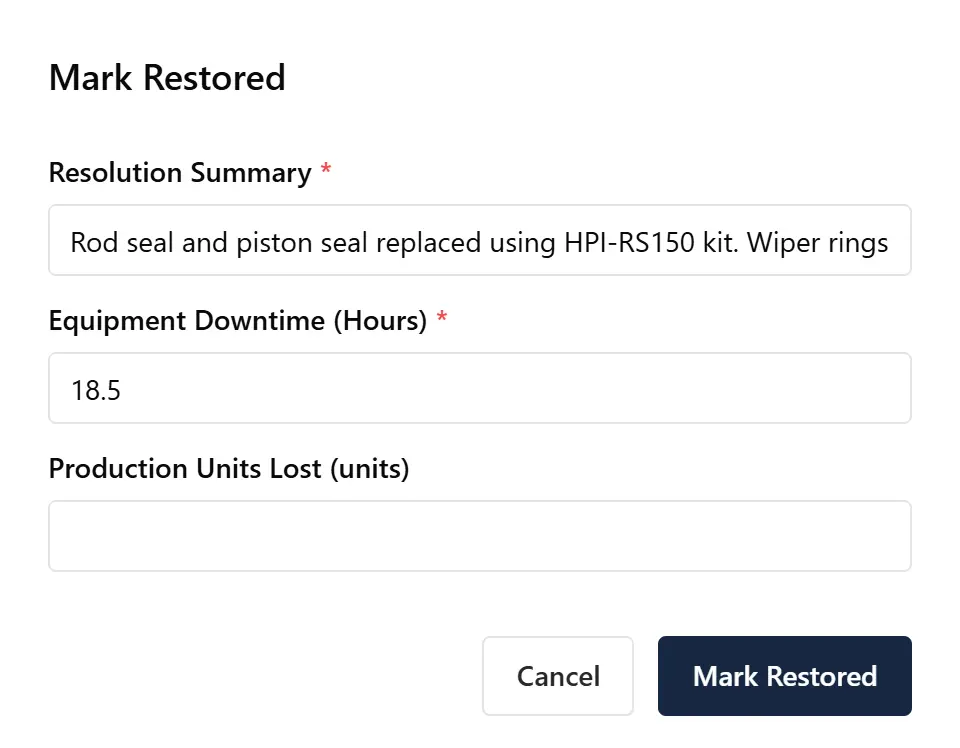
Root cause required before repair can close; downtime hours required at close. These are not optional fields. The transition button does not activate without them. Root cause is captured when it is fresh — when the technician has just diagnosed the fault — not retro-filled from memory at month-end.
PM auto-dispatch. The CMMS creates and assigns the monthly PM work order on schedule, automatically, before the maintenance planner has to remember to do it. The job appears in the technician's queue on the right day, with the right checklist. No scheduler required.
MTTR and MTBF per asset computed automatically. Because downtime hours are captured at close on every breakdown work order, the system knows exactly how long each machine was down across every failure. MTTR (mean time to repair) and MTBF (mean time between failures) update with every closed job, per machine, without anyone building a spreadsheet.
Escalation when jobs go overdue. An overdue breakdown work order — one still open past its due time — automatically escalates to the plant manager. The system surfaces the blockage; the manager does not have to go looking for it.
Full audit trail. Every status change, every field update, every assignment is timestamped and attributed. Who changed what, and when, is always on record — which matters for ISO audits, for post-incident analysis, and for understanding how a job actually moved through the plant.
Where MachDatum fits: every breakdown and PM becomes a work order with a configurable state machine — the right steps, the right data capture, for that type of job. Root cause is required at repair start; downtime hours are required at close. MTTR and MTBF per machine update automatically with every closed job. Escalation rules push overdue jobs to the plant manager without anyone having to chase. We're onboarding our first group of manufacturing teams right now — see the work order module at machdatum.com.