
Bulk Meal Booking Details
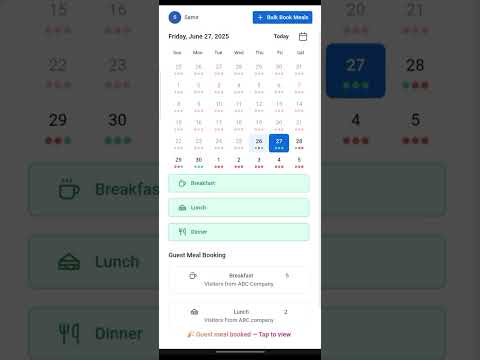
The Canteen Management System also allows users to book meals for multiple dates using the Bulk Meal Book option.
Step-by-Step Instructions
Click on the Bulk Meal Book button located at the top right of the Meal Booking page.
Select the start date and end date for the booking period. The system will automatically exclude Sundays and notify any holidays within the selected range.
By default, Monday to Saturday will be selected for meal booking. The user can unselect any specific day(s) they do not want to include. Meals will not be booked on the unselected days during the entire period.
After selecting the date range and days, choose the meals to be booked by clicking Breakfast, Lunch, and/or Dinner.
Click the Book button located at the bottom right of the screen to complete the booking.
Note:
• Meal booking on Sundays is not available through Bulk Meal Booking.
• If you wish to book meals for Sundays, please do so individually by selecting the date and meals as described in the previous section.
Once the booking is successful, the dot under the selected dates will turn green, indicating the meal has been booked.
Want to learn more?
Browse all guides →